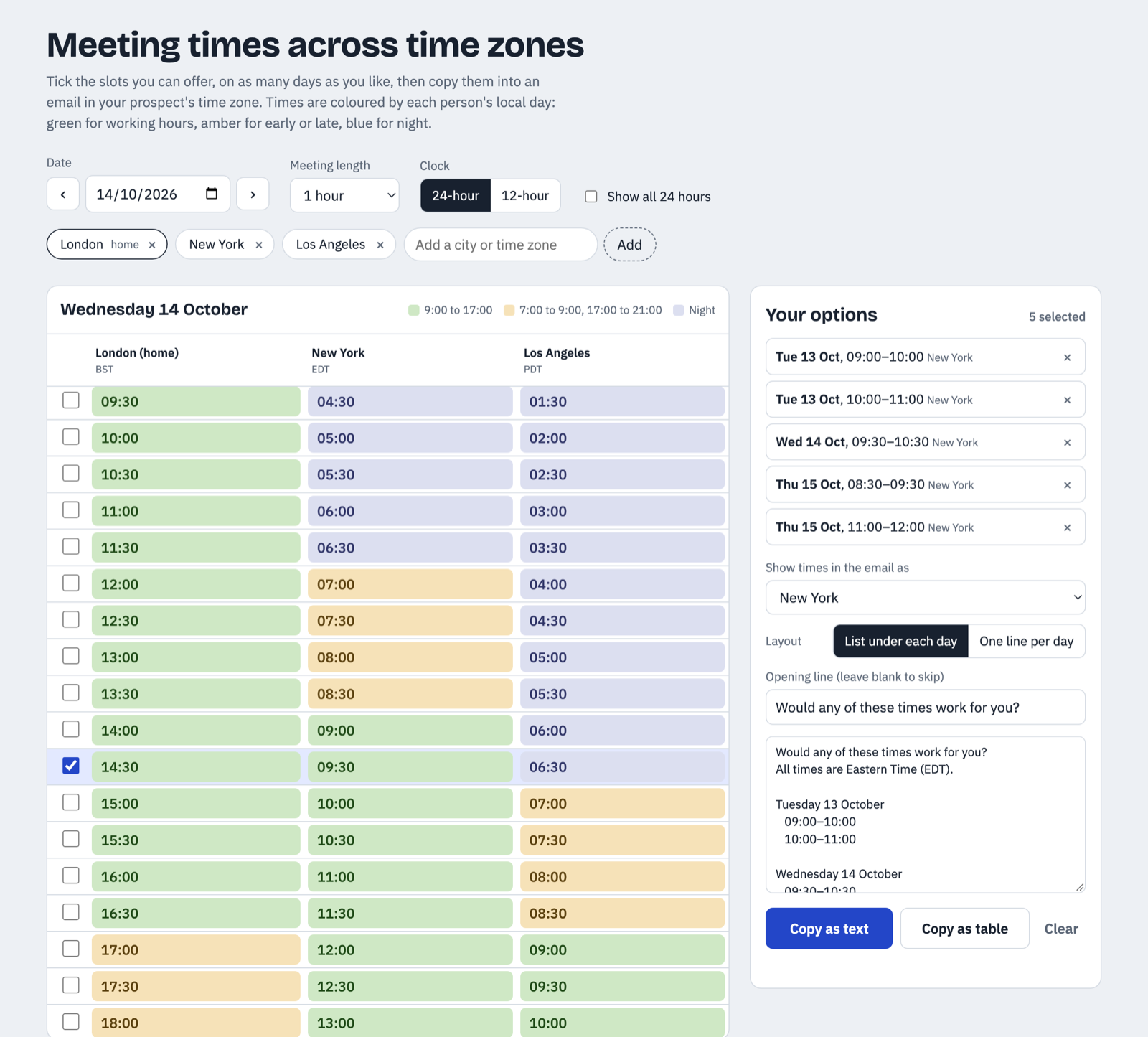
I made a small tool for something I do a few times a week… offering someone a handful of meeting times when we’re not in the same time zone.
For years I’ve used timeanddate.com’s World Meeting Planner for this, and it’s really good at the hard part. Add your cities and it shows you hour by hour which times are reasonable for everyone and which ones have somebody dialling in at 6am. But once I’d found the good slots I was always doing the next bit by hand… flipping between days, scribbling times down, converting them and then typing them out into an email. Every single time.
So this does the three things I kept wishing it did:
- Pick times across multiple days. Tick a couple of slots on Tuesday, skip to Thursday, tick a couple more. They all collect in one list.
- Export them straight into an email. Copy as plain text or as a table, with an optional opening line, ready to paste.
- Choose which time zone the email uses. I always like to send times in the recipient’s time zone so they don’t have to do any maths. You can pick any zone in your list as the primary, or show all of them side by side.
It also deals with the fiddly stuff… clock changes, slots that fall on a different day for someone, 12 or 24 hour clocks, and typing a city like Minneapolis or Manchester instead of hunting for the official zone name. Your zones and settings are remembered in your own browser.
It’s a single static page with no backend. It’s free to use under the MIT licence, so view source and take it if you want to adapt it.
It’s nothing special, but I hope it’s as useful to folks who still like to schedule things manually (no agents!) as it is to me. I have no plans to make it any more complicated, and there will be no calendar integrations. It is what it is.
A side note on Claude artifacts
I built this with Claude, and the original lives as a Claude artifact if you prefer it there. The publishing and iteration loop on artifacts has got really good… describe a change, see it live, share the link, tweak it again. They’re back on fire and I am here for it.